
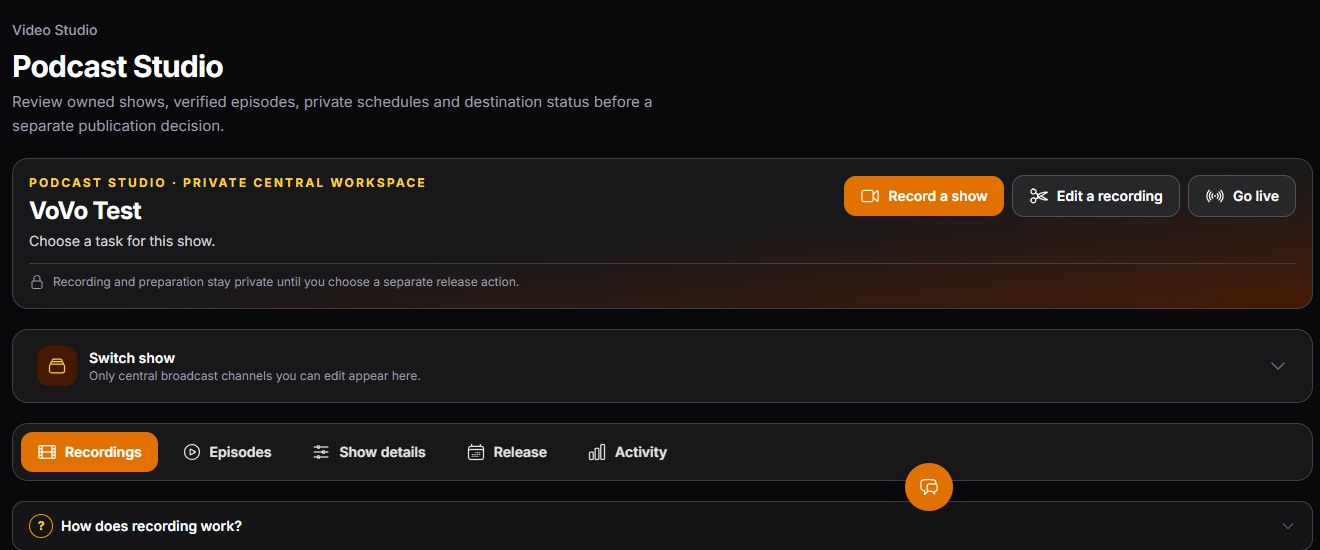
 Keep the show together
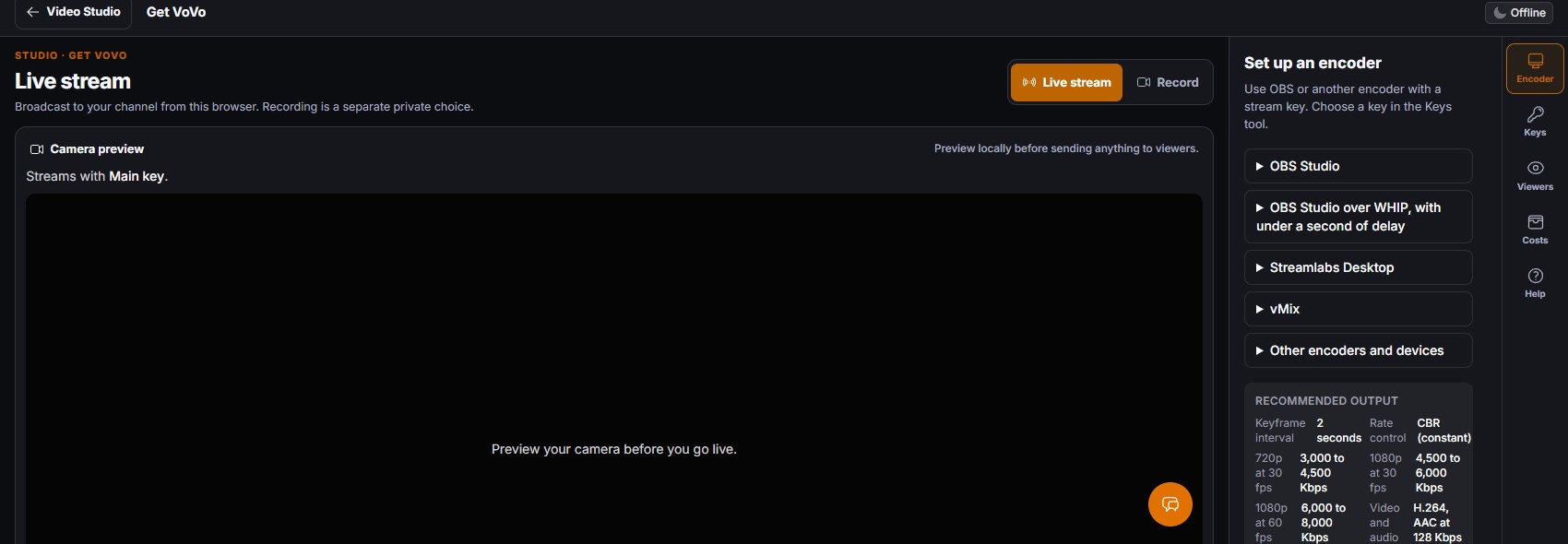 Set up your broadcast
Choose the work
Start with Record a show, Edit a recording, or Go live from one Video Studio dashboard.
Create a show, capture a private recording, shape it in the editor, or prepare a live broadcast. Video Studio puts the next action in front of you instead of making you hunt through separate tools.
See plans and pricing for current inclusion and access notes.
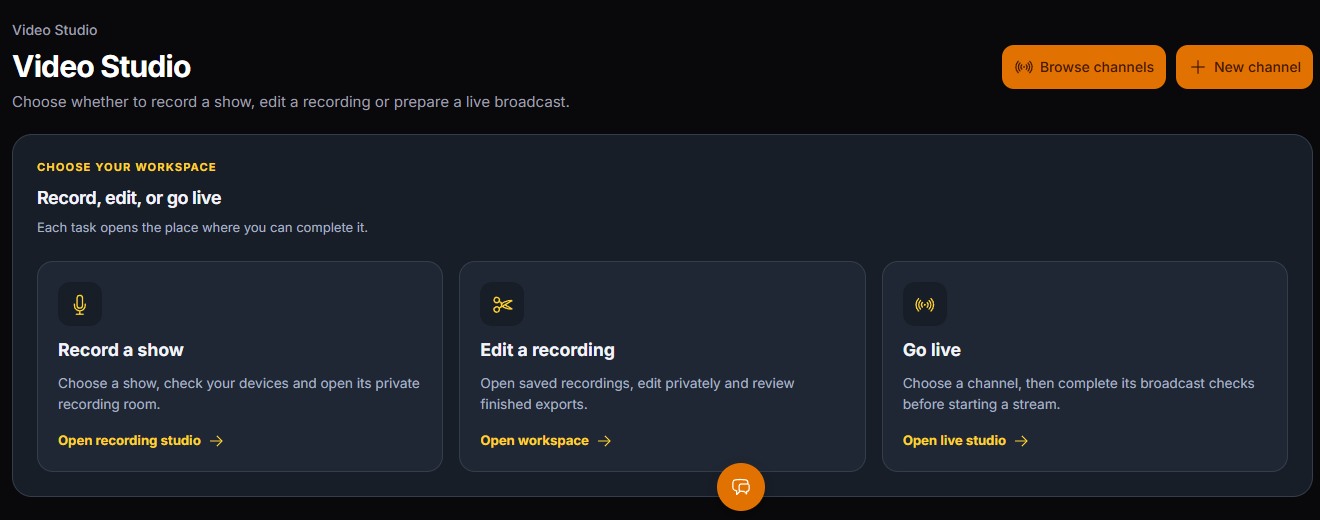
A live broadcast, a private take, a finished edit, and a podcast episode each have a clear next step. Access depends on your account and configured services.
VoVo Live Studio supports a browser broadcast path and encoder setup for a channel, with viewer preview and access controls in the studio workflow.
Explore the workflow →VoVo private recording can capture selected browser sources for a saved project, with upload status and a path into editing after the take is retained.
Explore the workflow →VoVo Video Editor provides a full-screen private workspace for timeline editing, media review, transcript and track tools, and guarded export choices.
Explore the workflow →VoVo Podcast Studio connects an owned show to private recording projects, episode review, show details, release checks, and activity.
Explore the workflow →VoVo episode tools organize show details, saved audio, release review, schedules, and destination status around a verified podcast project.
Explore the workflow →VoVo Video Studio is the web workspace for private recording, video editing, podcast preparation, and live streaming. Access and processing options depend on your account and configured services.
Start with Record a show, Edit a recording, or Go live from one Video Studio dashboard.
Review saved recordings and work on private edits while the retained source remains separate.
Inspect the finished output and its access settings before any publication or sharing action.
The dashboard leads to a recording room, a full-screen editor, and a live studio. Podcast show and episode review stays connected to the recording project.
Work stays attached to the show, channel, and saved project you selected. Access depends on your account and configured services. Check the exact result before moving it beyond your workspace.
Know what the workflow does, what access it needs, and when a finished output is ready. JagAI help, when offered, uses Spark, Nova, or Apex. Credits are separate.
Video Studio brings recording, live studio, saved projects, private editing, and podcast preparation into one VoVo area. Individual actions depend on account access and configured services.
No. A saved recording can be reviewed and edited privately. Publishing and sharing are separate decisions.
The workspace has a podcast recording and show flow as well as a live broadcast flow. Check the availability and destination setup for your account before a production event.
Yes. Every plan can use Live Stream, the video editor, and Podcast Studio once you turn them on in Plan & Features, with no plan limits on channels, viewers, or meeting size. It is pay as you go from your Platform Wallet, with no free minutes. Demo sites cannot use video features. Connected media services and AI work may have separate requirements or charges.
Create a VoVo account on any plan, then turn on Live Stream, the video editor, and Podcast Studio in Plan & Features. Connected service, usage cost, and release requirements are explained before you start.
This website keeps the pages you view, your clicks and a replay of your visit to improve the site. Privacy Policy
Still juggling WordPress plugins or paying for 10+ SaaS tools?
30 integrated modules, and you can start today.
Billed from signup. Cancel anytime.
We couldn't finish the security check. Your request has not been sent. Try again to continue.
If this keeps happening, reload the page and allow challenges.cloudflare.com in your browser.