
Choose a channel
Open the correct show or channel and check its visibility and audience settings.
Choose a channel, preview your camera locally, and keep your broadcast controls in one focused studio. If you use OBS or another encoder, the studio also gives you a dedicated setup path.
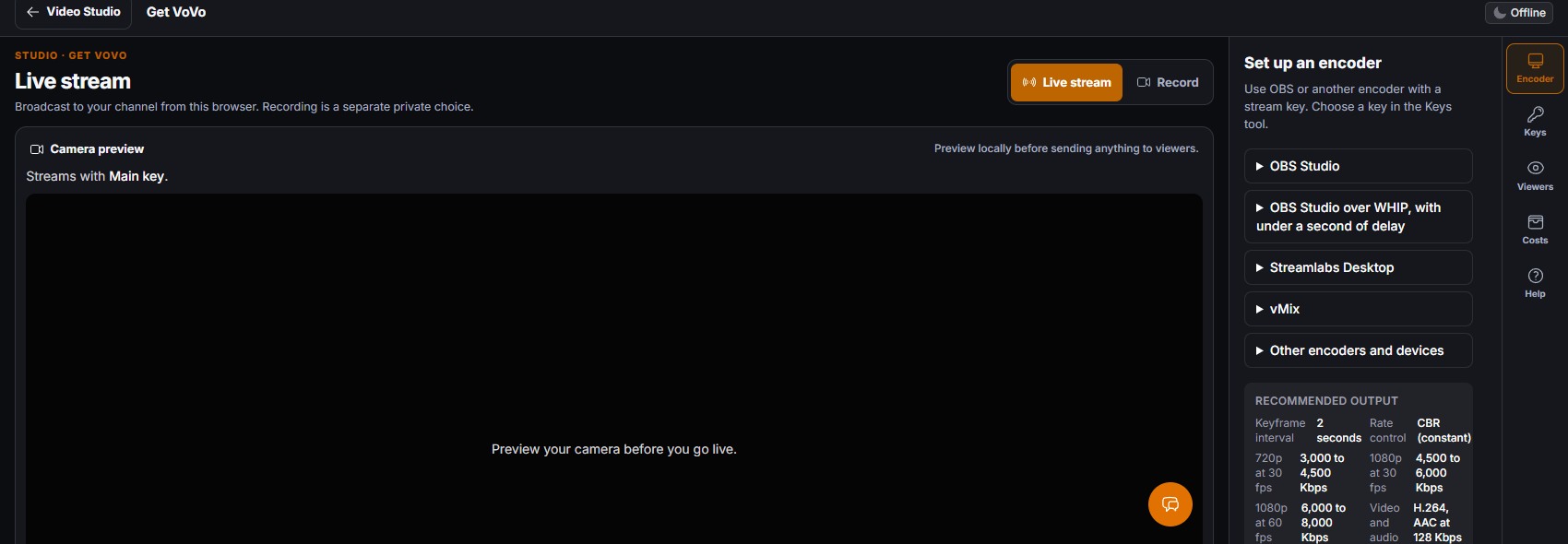
VoVo Live Studio supports a browser broadcast path and encoder setup for a channel, with viewer preview and access controls in the studio workflow.
Open the correct show or channel and check its visibility and audience settings.
Check your camera and microphone locally, or prepare an encoder connection with the channel key.
Go live only after the source, viewer view, and destination are ready. Use the studio controls while the stream is running.
The stage keeps its preview visible while the right-side tools hold encoder guidance, viewer preview, keys, cost information, and help.
Work stays attached to the show, channel, and saved project you selected. Access depends on your account and configured services. Check the exact result before moving it beyond your workspace.
Know what the workflow does, what access it needs, and when a finished output is ready. JagAI help, when offered, uses Spark, Nova, or Apex. Credits are separate.
The live studio offers a browser camera and microphone path. Device permission, channel access, and delivery readiness must be checked before starting.
The studio includes encoder setup and stream-key controls for OBS and other compatible encoders. Keep stream keys private and test the connection before an event.
No. Live streaming and private recording are separate choices in the studio. Switching the visible mode does not itself start a broadcast.
No. Review the saved recording and prepare an episode separately. Feed and directory release need their own checks and publication action.
VoVo private recording can capture selected browser sources for a saved project, with upload status and a path into editing after the take is retained.
Explore Private recording →VoVo Video Editor provides a full-screen private workspace for timeline editing, media review, transcript and track tools, and guarded export choices.
Explore Video editor →VoVo Podcast Studio connects an owned show to private recording projects, episode review, show details, release checks, and activity.
Explore Podcast Studio →Create a VoVo account, then open Video Studio when your plan and configured services allow it. Connected service, usage cost, and release requirements are explained before you start.
Still juggling WordPress plugins or paying for 10+ SaaS tools?
30 integrated modules, and you can start today.
Billed from signup. Cancel anytime.
We couldn't finish the security check. Your request has not been sent. Try again to continue.
If this keeps happening, reload the page and allow challenges.cloudflare.com in your browser.